What's the point of having an intelligent AI assistant if you still have to babysit it? That's the question that's been haunting the AI automation community, and the answers emerging in late 2025 are reshaping how we think about human-AI collaboration.
The dream is simple: describe what you want, walk away, come back to finished work. The reality, until recently, has been less simple. AI agents would get stuck, hit edge cases, exhaust their context windows, or simply give up when they encountered the first unexpected obstacle. But things are changing fast.
This post covers the techniques and tools that are making unattended AI a reality: the Ralph Wiggum looping philosophy, the three pillars of autonomous automation (Specs, Context, Execution), and 10 hard-won lessons from months of pushing the limits. I'll also introduce Maestro, an open-source desktop app I've been building that ties it all together. My current personal record is over 21 hours of continuous unattended execution, and other Maestro users have already beaten me.
The State of AI Time Horizons
METR (Model Evaluation & Threat Research) recently published some fascinating data on AI task completion that quantifies what many of us have felt intuitively: the length of tasks AI agents can reliably complete has been doubling approximately every seven months for the past six years.
Their research introduces the concept of time horizons,
the duration at which a model achieves specific success probabilities. Here are the findings for Claude Opus 4.5, which is the pack leader at the moment:
- 50% success rate: ~4 hours 49 minutes
- 80% success rate: ~27 minutes
For context, tasks under 4 minutes show nearly 100% success rates, while tasks around 4 hours drop below 10%. This cliff is where most AI automation efforts have historically died.
But here's what makes this interesting: these are baseline numbers. With the right tooling and techniques, practitioners are pushing well beyond these limits. I'm personally seeing unattended run times exceeding 6 hours regularly, with my longest continuous execution clocking in at over 21 hours.
How? Let's talk tactics.
The Ralph Wiggum Revolution
If you've been anywhere near AI social media lately, you've probably heard the name Ralph Wiggum
more times than makes sense for a Simpsons character. The technique, pioneered by Geoffrey Huntley and named after the perpetually optimistic (if not exactly bright) character, has become the foundation for serious unattended AI work.
The core concept is deceptively simple:
while :; do cat PROMPT.md | claude-code ; done
That's it. An infinite loop that feeds the same prompt file to an AI agent over and over. The magic isn't in the loop itself. It's in how the agent interacts with it.
Ron Eddings from the 0DIN team was actually one of the early practitioners of this approach, recognizing that the key to autonomous AI isn't preventing failures, it's making failures productive. When Claude exits (whether successfully or not), the loop restarts. Claude sees its previous work in the filesystem, reads any error messages, examines the git history perhaps, and tries again.
Huntley calls this eventual consistency,
the idea that given enough iterations, the agent will converge on a working solution. It's not about being right the first time; it's about being persistently, deterministically iterative.
The results speak for themselves. In one notable case from Huntley, a $50,000 development contract was completed for approximately $297 in API costs. Over three months, one loop created an entire programming language (CURSED
) from scratch.
Stop Hooks: Making Loops Smarter
Anthropic has since formalized this pattern with the Ralph Wiggum plugin for Claude Code. Instead of requiring external bash loops, it implements a stop hook that intercepts exit attempts:
- You define a task with a completion promise (e.g.,
<promise>COMPLETE</promise>) - Claude works on the task
- When Claude tries to exit, the hook checks for the promise
- If not found, it feeds the same prompt back
- Repeat until done (or max iterations reached)
This creates a self-referential feedback loop where the agent sees its cumulative work and can build on previous iterations. The key insight is that you're not just retrying, you're letting the agent learn from its own attempts within the session context.
/ralph-loop "Build a REST API with full CRUD operations, input validation,
and tests. Output <promise>COMPLETE</promise> when all tests pass."
--completion-promise "COMPLETE" --max-iterations 50
The plugin documentation emphasizes writing prompts with clear completion criteria and incremental goals. Bad prompts produce bad loops. Good prompts produce autonomous coding sessions that can run for hours.
Explore AI security with the Scanner Datasheet
The datasheet offers insight into the challenges and solutions in AI security.
Download Datasheet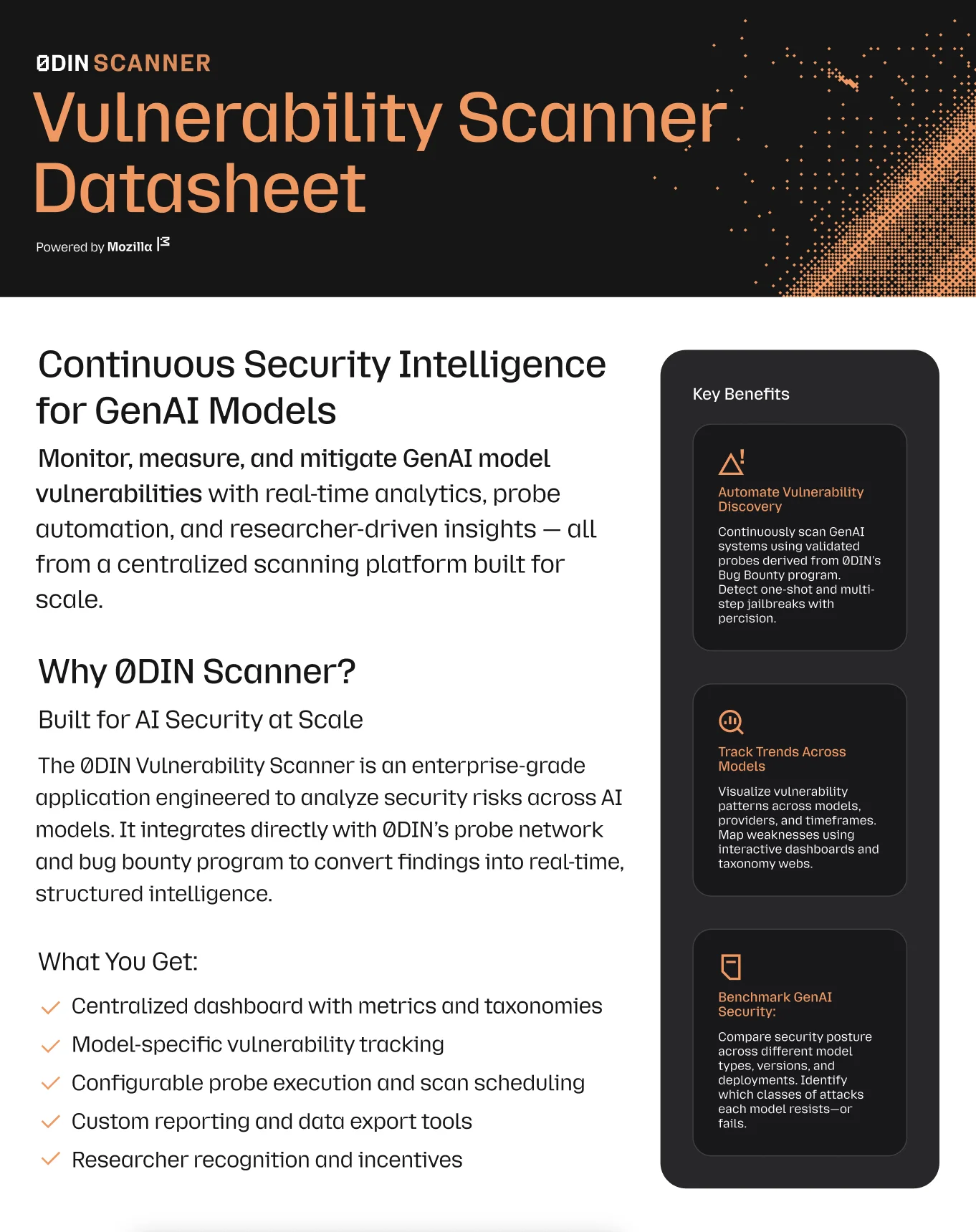
The Three Pillars: Specs, Context, Execution
The Ralph Wiggum loop is powerful, but it's only one piece of the puzzle. For truly long unattended runs, you need three things working together:
- Specs so the agent knows what to do (not just a dumb loop of the same prompt)
- Context management to transfer some state between fresh sessions
- Execution infrastructure that keeps things running
Let's look at how the ecosystem is solving each of these.
The Spec Problem
A loop without direction is just expensive noise. The problem with AI coding isn't the AI's ability to write code. It's how we communicate what we want. Many treat AI agents like magic, throwing vague requests and forcing them to guess the unstated requirements. What we need instead is to treat AI like a literal-minded pair programmer: incredibly fast, super capable, but requiring precise, unambiguous instructions.
Several frameworks have emerged to address this:
GitHub's Spec Kit provides a structured four-phase process: Specify (describe goals and user journeys), Plan (declare architecture and constraints), Tasks (break work into small reviewable units), and Implement. You don't advance until the current phase is validated. The specification becomes the source of truth that AI agents use to generate, test, and validate code.
OpenSpec takes a similar approach with its own four-phase process: Draft Change Proposal, Review & Align, Implement Tasks, and Archive & Update Specs. You create a markdown specification document, the AI codes according to it, then you archive when complete. It excels at modifying existing behavior, especially when updates span multiple specs.
Beads, built by Steve Yegge, is a git-backed graph issue tracker designed specifically for AI agents. Where Spec Kit and OpenSpec use markdown documents, Beads uses structured JSONL data with dependency tracking and hash-based IDs that prevent merge conflicts in multi-agent workflows. Yegge's insight was that agents simply cannot keep track of work using markdown files. They'll churn out gobs of six-phase markdown todo-plans
but then get confused by competing, obsolete, or conflicting documents. Beads replaces that chaos with a proper execution tracking system, like putting your coding agent on waxed skis.
The Context Problem
Specs tell agents what to do. But here's the thing: you can't just keep adding tasks to the same context window. It fills up, performance degrades, and eventually the agent becomes useless. As a general rule, once you're hitting 80% context utilization, it's time to start fresh or aggressively groom out the fluff.
This creates a fundamental challenge: how do you transfer state between fresh contexts? The agent needs to pick up where it left off without carrying all the baggage that got it there.
The simplest approach is git history. An agent can read commit messages, examine diffs, and understand what's been done. But that process consume context and time. Another approach is task summaries in markdown documents to provide lightweight context: a running log of decisions made, approaches tried, and lessons learned. This memory through artifacts
approach is surprisingly effective and requires no special tooling.
Dedicated memory systems take this further. Claude-Mem is a Claude Code plugin that automatically captures everything the agent does during your coding sessions (tool outputs, decisions, file changes), compresses it using AI, and injects relevant context back into future sessions. The plugin runs invisibly in the background, categorizing observations by type (decision, bugfix, feature, refactor, discovery) and storing them in a searchable SQLite database. When you start a new session, compressed context from previous sessions gets automatically injected.
There are countless other memory solutions emerging in this space, for example Letta, Mem0, and Cognee. The key insight they share: context windows are finite, but work is continuous. You need mechanisms to bridge that gap.
The Execution Problem
Specs define what to build. Context bridges the gaps between sessions. But you still need infrastructure to actually run the agents reliably over extended periods.
Steve Yegge again has a horse in this race. It's called Gastown, a multi-agent orchestration system with git-backed persistence. Instead of trying to maintain long-running agent sessions, Gastown embraces ephemerality. Agents spawn, complete specific work units, and terminate. Progress tracking happens through git-persisted hooks and structured ledger entries.
The system uses a colorful hierarchy (a Mayor
coordinator, Rigs
for project containers, Polecats
for ephemeral workers) but the core insight is that work state should be externalized to persistent storage (git), not trapped inside agent memory.
Auto-Claude brings Kanban-style task management to autonomous coding. Tasks flow through visual boards from planning to completion, with Linear integration for team coordination. The framework executes builds in isolated git worktrees, runs validation pipelines, and merges back to main with conflict resolution.
It's particularly effective for dev-specific tasks where you want visibility into what's being built without having to watch the terminal.
Enter Maestro
This brings us to Maestro, an open-source cross-platform desktop application I've been building that ties all three pillars together in a delightful cross-platform experience.
The name isn't accidental. Using Maestro genuinely feels like being a conductor, waving a baton while a swarm of AI agents accomplishes feats that would have taken weeks of manual work. You're not typing code. You're orchestrating an ensemble, directing attention where it's needed, and letting the performers do what they do best.
Maestro is a management layer for AI coding assistants that provides the orchestration, persistence, and automation infrastructure needed for serious multitasking and long unattended runs. It currently supports Claude Code, OpenAI Codex, and OpenCode. With OpenCode you can leverage locally hosted models and operate cost free.
Who Is It For?
- Folks working with multiple agents and crave a single interface instead of a scattering of terminal windows
- Power users with dozens of conversations who lose track of where they've been and where they're going
-
Anyone who's tired of babysitting AI and wants to wake up to finished work with
Auto Run
.
Key Features of the Interactive Experience
 Maestro's session browser with searchable history and cost tracking (Theme: Nord)
Session Management: Run multiple agents across multiple projects from a single interface. Each session maintains its own context, history, and state. Switch between sessions without losing progress.
Context Warnings: Get alerts when agents approach context limits before they fail. Proactive management prevents the mid-task horror of reaching the context limit.
Git Worktree Support: Auto Run can operate in isolated git worktrees, letting agents work in the background while you continue interactive editing in the main repo. No more context collisions.
Mobile Access: Check on your agents remotely via web interface. See what's running, review output, even queue up new tasks, all from your phone.
Group Chat: Coordinate multiple agents in shared conversations. Have different specialized agents (one for code, one for research, one for testing) collaborate on complex tasks.
 Maestro Group Chat: Multiple AI agents collaborating on a release status check (Theme: Pedurple)
Auto Run: Document-Driven Automation
The real power for unattended work comes from Maestro's Auto Run system. It's a document-driven approach to task automation that takes the Ralph Wiggum philosophy and adds structure.
Here's how it works:
You create Markdown documents with checkbox task items. Each document represents a phase of work. Maestro feeds these documents to your AI agent and the agent works through the tasks sequentially, checking off items as it completes them and adding a small synopsis of what was done to complete the task.
 Maestro's Auto Run panel showing automated task execution with checkboxes (Theme: Pedurple)
But here's where it gets interesting: you chain documents together into multi-phase workflows.
Say you're building a new feature. You might structure your documents like this:
-
01-PLANNING.md- Analyze codebase, identify files to modify, outline approach -
02-IMPLEMENTATION.md- Create the core feature components -
03-TESTING.md- Write tests, fix failures, ensure coverage -
04-POLISH.md- Clean up, add documentation, final review
Each document contains checkbox tasks that the agent works through sequentially. When one document completes, Maestro moves to the next. You can also enable looping, so if a document ends with incomplete tasks or new issues discovered, the agent cycles back through.
The power is in the structure. You define the phases upfront, but the agent has freedom within each phase to handle complexity as it discovers it. A task like implement authentication
might take 5 minutes or 5 hours depending on what the agent finds. The document-driven approach handles both cases gracefully.
Here's the key insight that enables truly long runs: each task gets a fresh context window. When Maestro moves from one checkbox item to the next, it starts a new agent session. This eliminates the context exhaustion problem that kills most long-running AI work. The tradeoff is more tokens (you're re-establishing context each time), but you avoid the wall that crashes agents after a few hours. Context exhaustion is predictable death; fresh contexts mean theoritcally limitless runtimes.
And here's what makes debugging painless: every single session is preserved in Maestro's history panel and can be resumed. If something goes wrong with a specific sub-task, you can find that exact session, see all the context the agent had, and continue tweaking from there. You're not starting over or trying to reconstruct what happened. The full context is already there, waiting for you to pick up where the agent left off.
Now let's document about the documents or specifications.
Spec-Driven Development in Maestro
Maestro supports Github Spec-Kit and Fission OpenSpec through custom slash commands (/speckit.* and /openspec.*). But here's the twist: we've modified the final Implement phase. Instead of having the agent write code directly, it generates Auto Run documents. This means the entire spec-driven workflow feeds into Maestro's document-driven automation system.
You get the rigor of spec-driven development (agreeing on what to build before any code is written) combined with the persistence of Auto Run (tasks that survive context resets and can run unattended for hours).
The Maestro Wizard
For those who prefer a more guided approach, Maestro includes a built-in wizard that walks you through project specification interactively (/wizard).
The wizard engages in a back-and-forth conversation with the AI, asking clarifying questions about your project goals, constraints, architecture preferences, and success criteria. It tracks a confidence score that builds as the conversation progresses. When the AI reaches sufficient confidence that it understands the project spec, it automatically generates Auto Run documents ready for execution.
 Maestro's Wizard gaining an understanding of the users wants (Theme: Monokai)
This is spec-driven development without having to learn the spec-driven frameworks. Just have a conversation, and let the wizard produce the automation documents. If you're looking for inspiration, Maestro's got you there too.
Playbook Exchange: Pre-Built Automation Recipes
You don't have to start from scratch. The Maestro-Playbooks repository contains a growing collection of pre-built document sequences for common workflows:
- Code review and refactoring
- Test coverage expansion
- Documentation generation
- Security audits
- Dependency updates
- And more
Each playbook is a set of Markdown documents designed to work with Auto Run. Browse available playbooks, preview their contents, and pull them directly into your project with a single click. No need to manually clone repos or copy files. The Exchange keeps playbooks organized and makes it easy to discover new automation recipes as the community builds them.
 The Playbook Exchange: Browse and install community playbooks directly from Maestro (Theme: Dracula)
Maximizing Unattended Run Times
After months of pushing the limits (both on tokens and lack of sleep), here's what I've found works:
- Structure your tasks as Auto Run documents. Break work into phases with clear checkboxes. Each checkbox is a discrete unit the agent can verify and mark complete. Bundle checkboxes by what makes sense to have shared context.
-
Use explicit completion criteria. Don't say
make it good.
Sayall tests pass, linting clean, no TypeScript errors.
- Enable looping for resilience. If a phase doesn't complete cleanly, looping lets the agent cycle back and finish incomplete tasks or address newly discovered issues.
- Embrace git worktrees. Let agents work in isolation. Review and merge on your schedule.
-
Practice progressive disclosure. Break up large CLAUDE.md files into focused modules (
CLAUDE-testing.md,CLAUDE-api.md,CLAUDE-frontend.md). Reference them as needed rather than loading everything into every context. The entirety doesn't need to be there for every task. - Delegate to sub-agents. Spawn sub-agents for discrete, well-defined tasks. They get their own fresh context, do focused work, and return just the results. Your main context stays clean for orchestration rather than drowning in execution details.
- Prefer tools and skills over MCP. MCP is powerful but it's a context hog and frankly, slow. Native tools and skills are lighter weight and faster. Save MCP for external service integrations where it's truly needed, but don't lean on it for everything.
- Let failures teach. Don't intervene too early. Sometimes an agent needs a few iterations to understand the problem. Failed attempts accumulate useful context about what doesn't work.
- Commit checkpoints frequently. Have agents commit after completing subtasks, not just at the end. Progress survives crashes, and the commit history becomes both a recovery mechanism and a form of memory.
- Run parallel branches. When uncertain about an approach, run multiple agents on different strategies simultaneously. First one to succeed wins. Maestro's worktree support makes this natural.
The combination of these practices has pushed my unattended runs from the METR baseline of ~5 hours at 50% success to 6+ hours regularly with subjectively higher accuracy. My current personal record exceeds 21 hours of continuous execution.... and other Maestro users have already outperformed me.
The Leaderboard: Gamifying Unattended Runs
Here's a fun addition that emerged from the community: Maestro includes a global leaderboard that tracks achievements based entirely on unattended Auto Run execution.
 The RunMaestro.ai leaderboard is opt-in and tracks cumulative time and longest single run
Your rank progresses through conductor titles (Assistant Conductor, Associate Conductor, and beyond) based on accumulated Auto Run time, though we also track total runs completed and longest single run. It's not about how many lines of code you wrote or how many prompts you typed. It's about how effectively you've mastered the art of letting AI work while you don't.
The leaderboard creates a friendly competition around exactly the right metric: who can build systems that run longest without intervention? It's a forcing function for developing better playbooks, cleaner task definitions, and more robust automation practices. When your rank depends on unattended execution time, you get very good at writing prompts that don't need babysitting.
The 24-Hour Cycle
Here's how I actually work with Maestro day-to-day:
During the day, I'm interactively working with AI agents on immediate tasks: debugging, code review, quick features, research. But throughout the day, I'm also building up plans for overnight execution. Using the spec-driven workflows or the wizard, I queue up Auto Run documents for larger tasks.
When I go to sleep, the agents keep working. They're executing the plans I staged during the day, checking off tasks, working through document phases, and pushing forward on work that would otherwise sit idle.
When I wake up, I start polishing. The agents have produced rough implementations, identified issues, and made progress on multiple fronts. My morning becomes about review, refinement, and course correction rather than greenfield implementation.
This creates a genuine 24-hour development cycle. I'm either actively working with the AI, or the AI is working while I'm not. There's no downtime. The compound effect of this over weeks and months is transformative.
Safeguard Your GenAI Systems
Connect your security infrastructure with our expert-driven vulnerability detection platform.
Beyond Coding: ReAct Agents for Everything
Here's something that often gets lost in the AI coding discourse: Reason-Act (ReAct) agents aren't just good for writing code. They're effective for any task that can be broken into discrete reasoning and action steps.
I use Claude Code as a personal assistant for everything from market research to document analysis to organizing travel itineraries. The same agentic loop that can build a REST API can:
- Research competitive landscapes and synthesize findings
- Analyze contracts and extract key terms
- Plan and draft complex documents
- Financial market research
- Utility development
The key is integration. Through tools, skills, and MCP (Model Context Protocol), agents can connect to virtually any service or platform. An agent that can browse the web, query databases, call APIs, and manipulate files has access to most of the same information and systems you do. The limiting factor isn't capability, it's orchestration.
The Mindset Shift
The Ralph Wiggum philosophy (persistence over perfection, failures as data, operator skill mattering as much as model quality) represents a fundamental shift in how we approach AI automation.
Traditional automation assumes you need to predict and handle every edge case up front. Agentic automation assumes you need to create systems that can recover from edge cases dynamically. The former requires exhaustive specification; the latter requires good prompts and persistent loops.
This isn't about making AI smarter (though that helps). It's about making AI systems that leverage their existing intelligence more effectively through iteration and recovery.
When Huntley says he tunes prompts like a guitar,
he's describing a skill that's becoming increasingly valuable: the ability to guide AI behavior through carefully crafted instructions and structured feedback loops. It's not quite programming, not quite management. It's something new.
Getting Started
Maestro is free, open source, and available at runmaestro.ai. The codebase is on GitHub if you want to see how it works or contribute.
If you're new to unattended AI automation, I'd suggest:
- Start with a single, well-defined task
- Write clear completion criteria
- Use max iteration limits as safety nets
- Review the first few runs closely
- Gradually increase autonomy as you build confidence
The goal isn't to replace human judgment, it's to multiply human leverage. Let the AI handle the iteration, the typing, the routine problem-solving. Save your attention for the decisions that matter.
The future of AI isn't solely about smarter models (though we'll get those too). It's about smarter systems: loops, memory, orchestration, recovery. The pieces are here. It's time to start assembling them.